
ePaint - Painting Services Company Html Template
Thank you very much for purchase ePaint - Painting Services Company Html Template. We believe incoming up with original ideas and Branding. Always we love to work with latest technology. We strongly care about quality product and quality service.
File structure
Within the ePaint - Painting Services Company Html Template you’ll find the following directories and files, grouping common resources, as well as raw source file
-
Toha/ - Source files
- Scss/ - compiled CSS files
- images/ - image files
- js/ - JavaScript files
- home.html/- home-page
General settings for Every page
-
1. Change the title
<title>ePaint - Painting Services Company Html Template</title> -
2. Change the logo
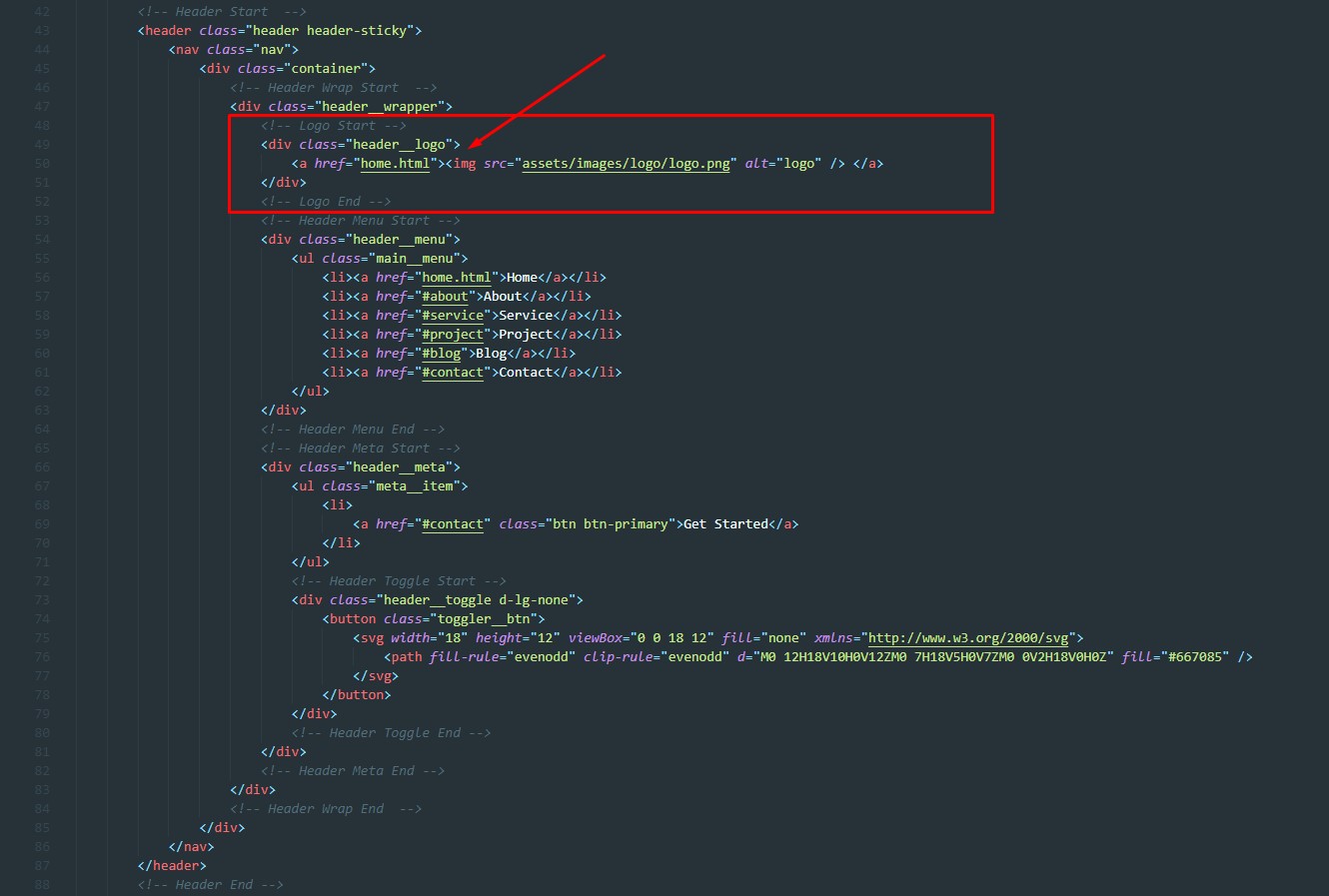
-
3. Change google fonts in (style.scss)
                                                @import
                                                url("https://fonts.googleapis.com/css2?family=Barlow:ital,wght@0,100;0,200;0,300;0,400;0,500;0,600;0,700;0,800;0,900;1,100;1,200;1,300;1,400;1,500;1,600;1,700;1,800;1,900&display=swap");


                                                @import url("https://fonts.googleapis.com/css2?family=Inter:wght@100;200;300;400;500;600;700;800;900&display=swap");
Navigation customization
Navigation's are inside 'navbar-nav' section. Change navigation with your own text for every page.
-
1. Change / Add your nav items for primary menu
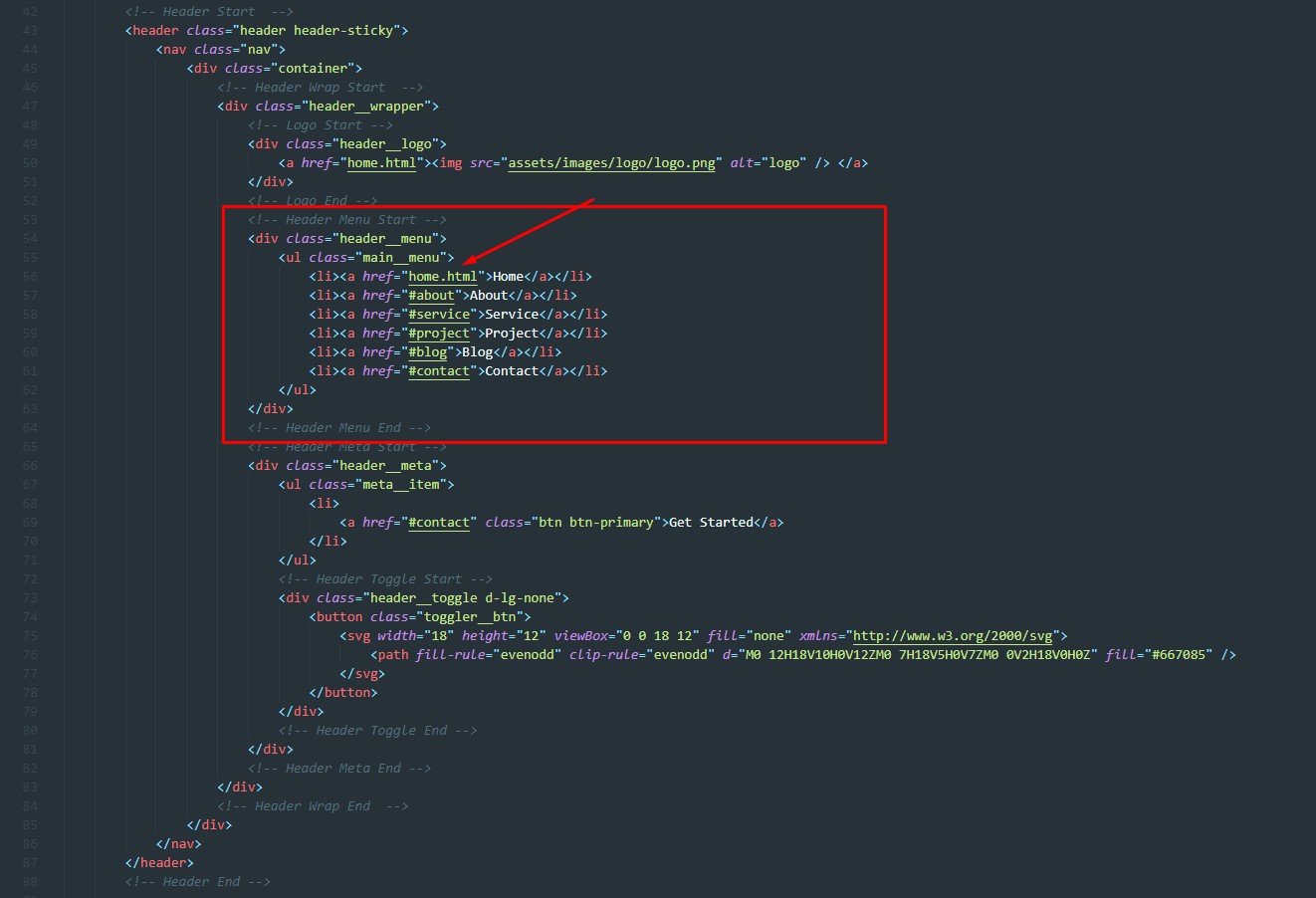
-
2. Navigation Js
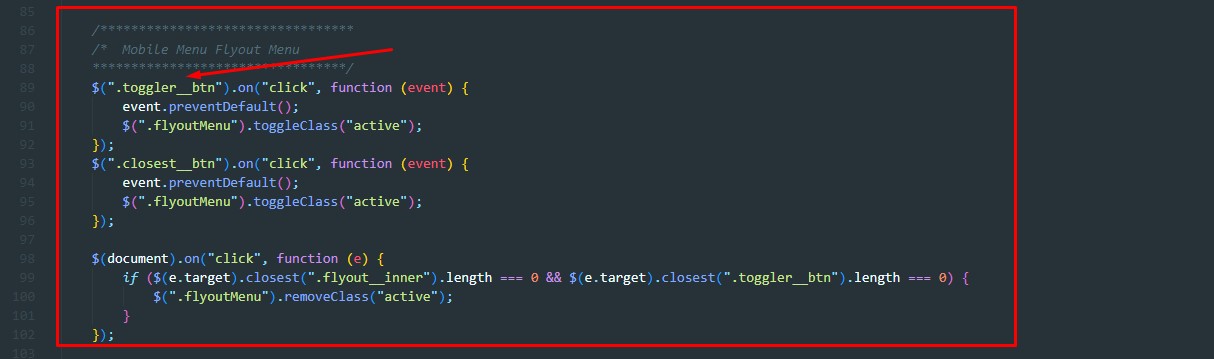
Swiperjs customization
-
1. Swiperjs css
<link rel="stylesheet" href="assets/css/swiper-bundle.min.css"> -
2. Swiperjs js
<script src="assets/js/swiper-bundle.min.js"></script> -
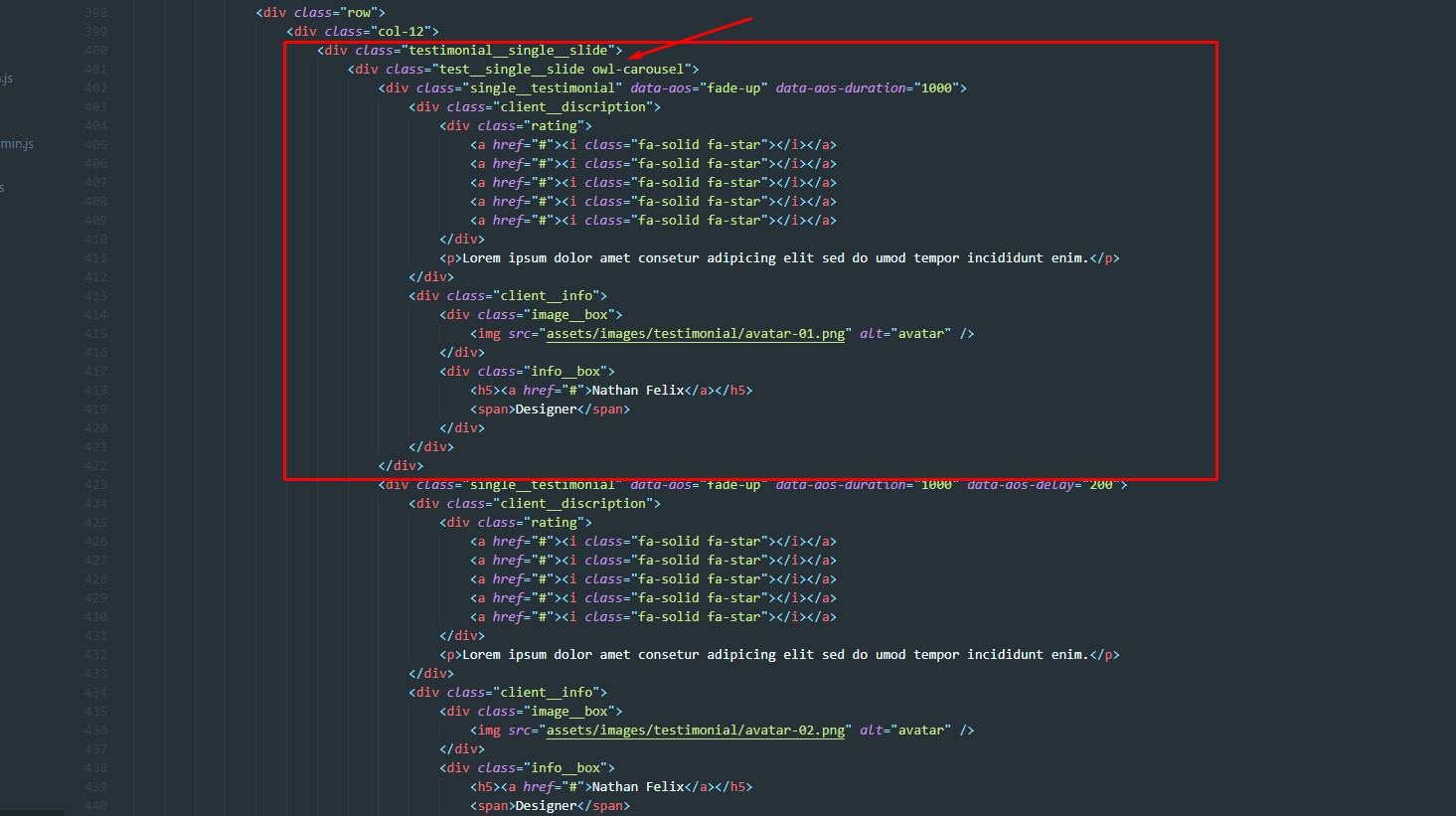
3. Customize Swiperjs jQuery options (scripts.js)
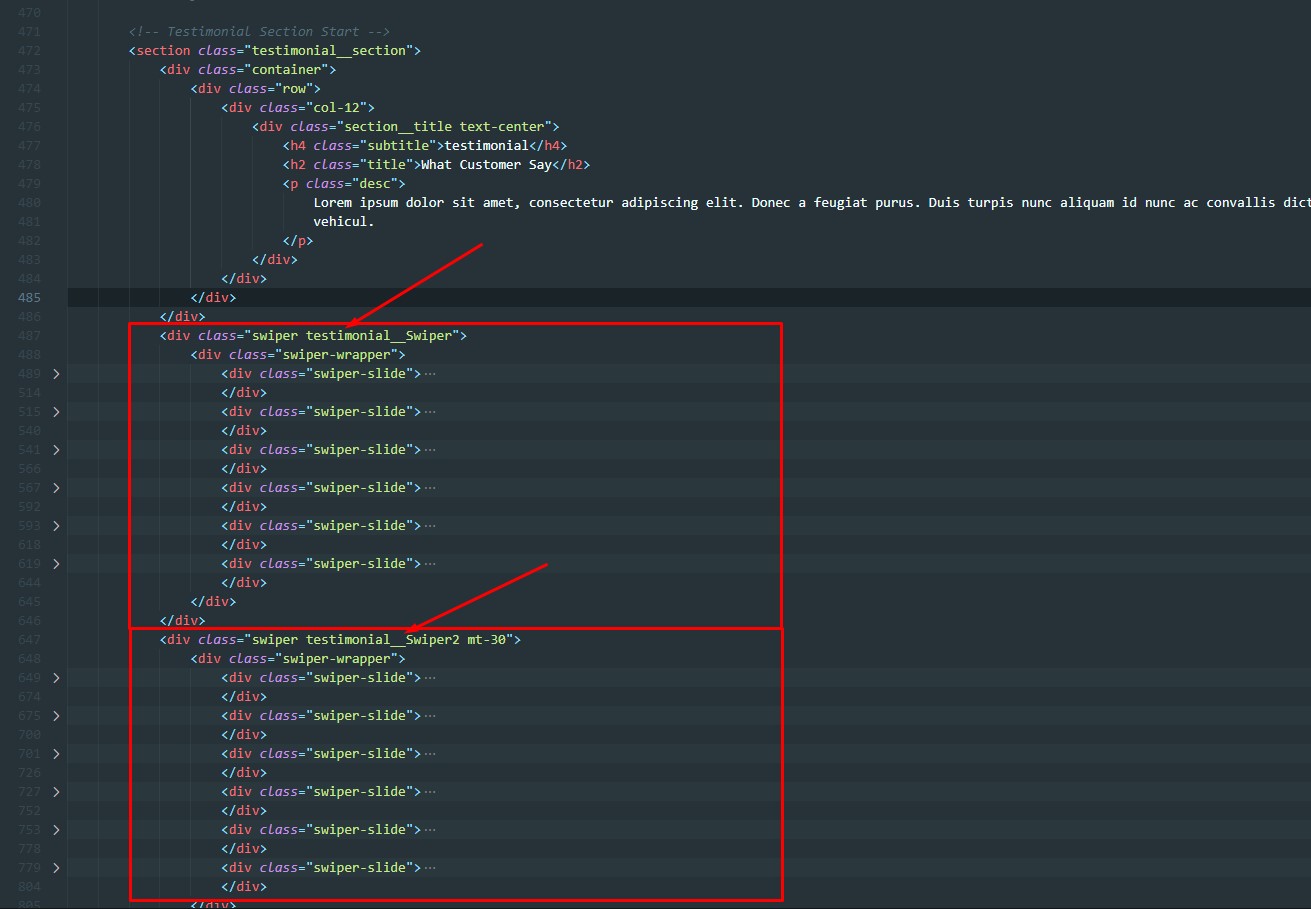
Skill customization
-
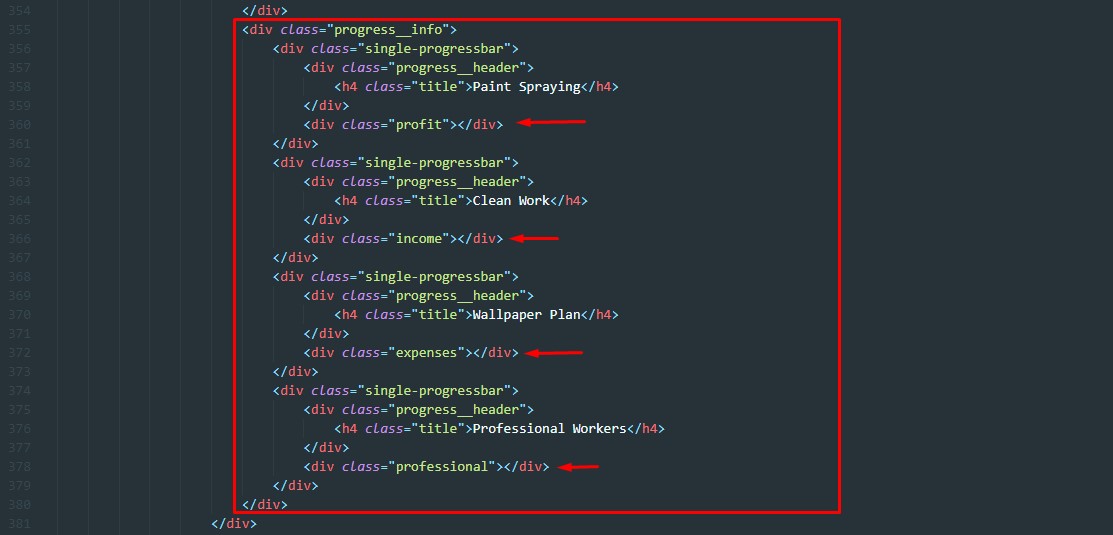
1. Skill css options (css)
<link rel="stylesheet" href="assets/css/jquery.rprogessbar.min.css">
-
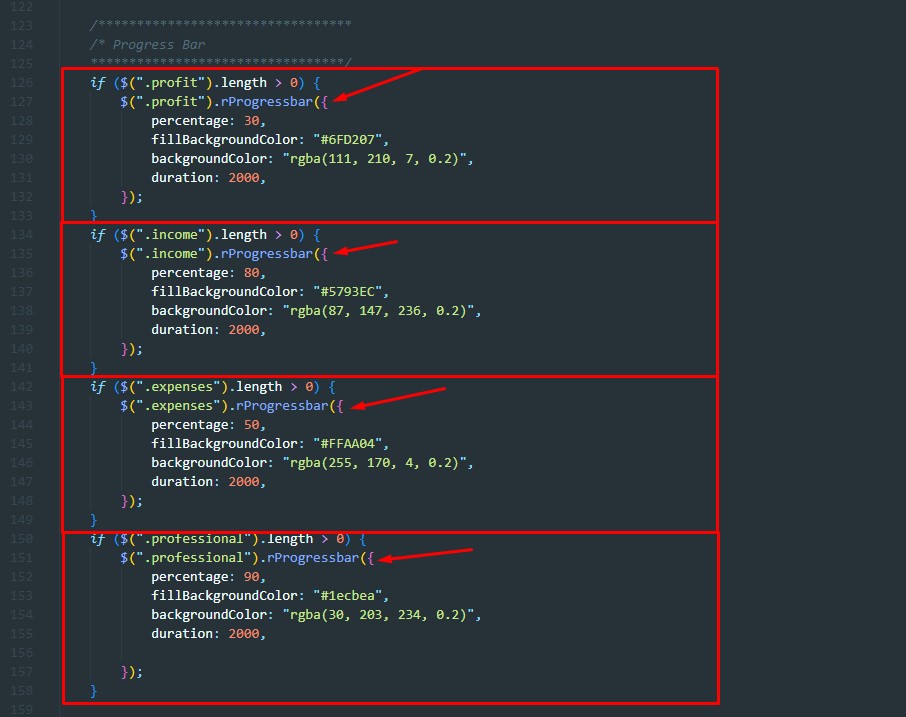
2. Skill js options (js)
<assets/js/jQuery.rProgressbar.min.js"></script>
Fancy-box customization
-
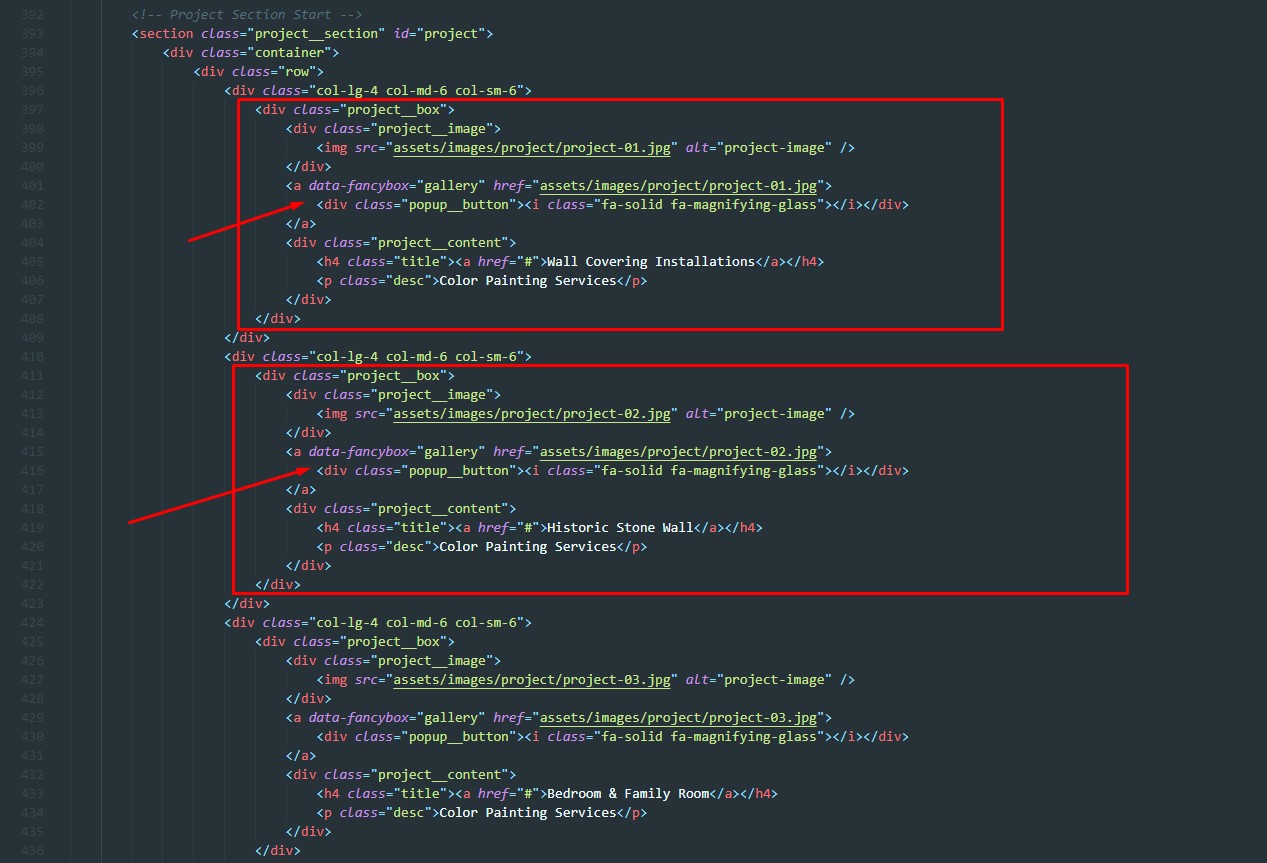
1. Fancybox css options (css)
<link rel="stylesheet" href="assets/css/jquery.fancybox.min.css">
-
2. Fancybox js options (js)
<script src="assets/js/jquery.fancybox.min.js"></script>
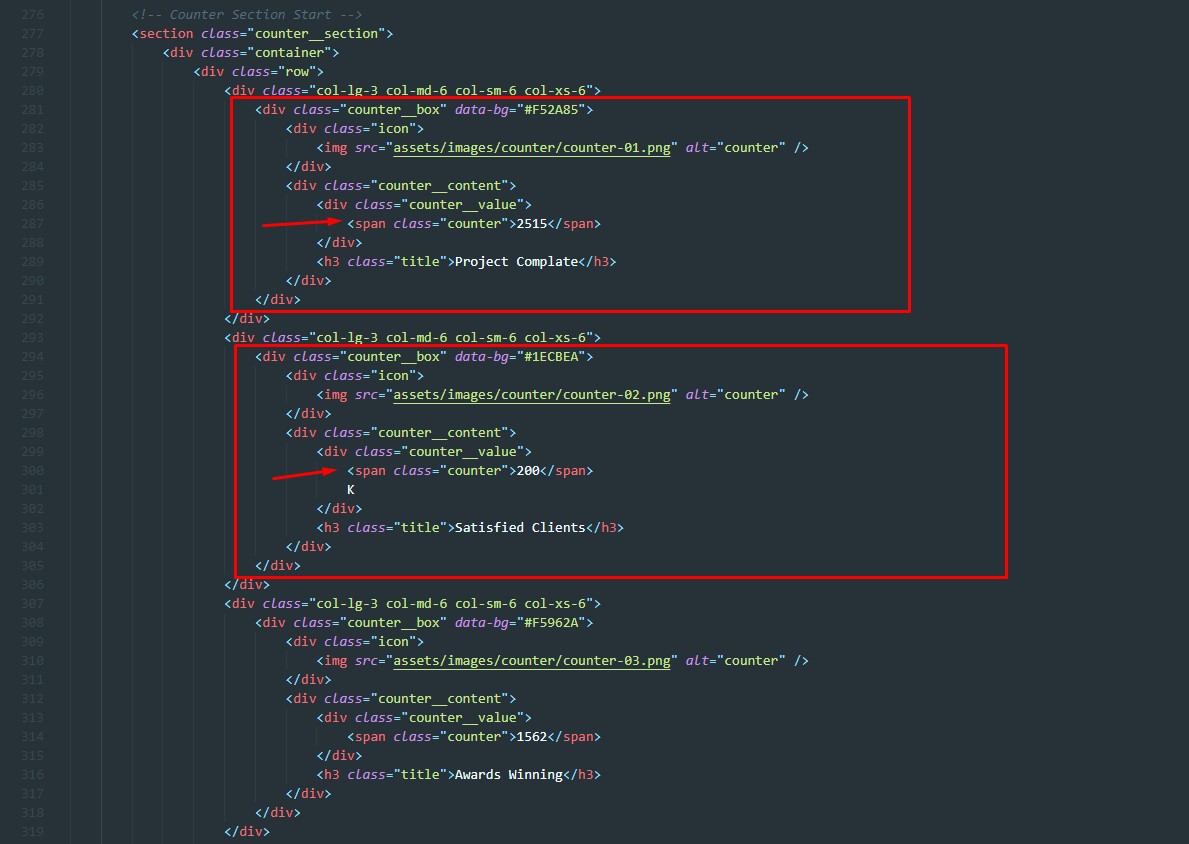
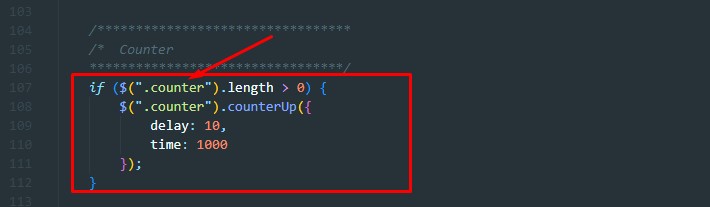
CounterUp customization
-
1. CounterUp Html options (html)
-
2. CounterUp js options (js)
<script src="assets/js/counterup.min.js"></script>
<script src="assets/js/jquery.waypoints.js"></script>
Third party CSS & JS list
-
Third party CSS
Note: You will find all third party CSS files in the 'CSS' directory
- <link rel="stylesheet" href="assets/css/all.min.css">
- <link rel="stylesheet" href="assets/css/bootstrap.min.css">
- <link rel="stylesheet" href="assets/css/swiper-bundle.min.css">
- <link rel="stylesheet" href="assets/css/jquery.rprogessbar.min.css">
- <link rel="stylesheet" href="assets/css/jquery.fancybox.min.css">
- <link rel="stylesheet" href="assets/scss/style.css">
-
Third party JS
Note: You will find all third party JS files in the 'JS' directory
- <script src="assets/js/jquery-3.6.0.min.js"></script>
- <script src="assets/js/popper.min.js"></script>
- <script src="assets/js/bootstrap.min.js"></script>
- <script src="assets/js/bootstrap.bundle.min.js"></script>
- <script src="assets/js/swiper-bundle.min.js"></script>
- <script src="assets/js/counterup.min.js"></script>
- <script src="assets/js/jquery.waypoints.js"></script>
- <script src="assets/js/jQuery.rProgressbar.min.js"></script>
- <script src="assets/js/jquery.fancybox.min.js"></script>
- <script src="assets/js/scripts.js"></script>